AI call assistant for Mac and iPhone

The answer arrives before the pause.

Zhbanely listens to your call, catches the other side's question and puts a ready answer in a window that stays out of screen sharing.

Free on Mac, macOS 13 or later, Apple Silicon
iPhone with iOS 26 or later

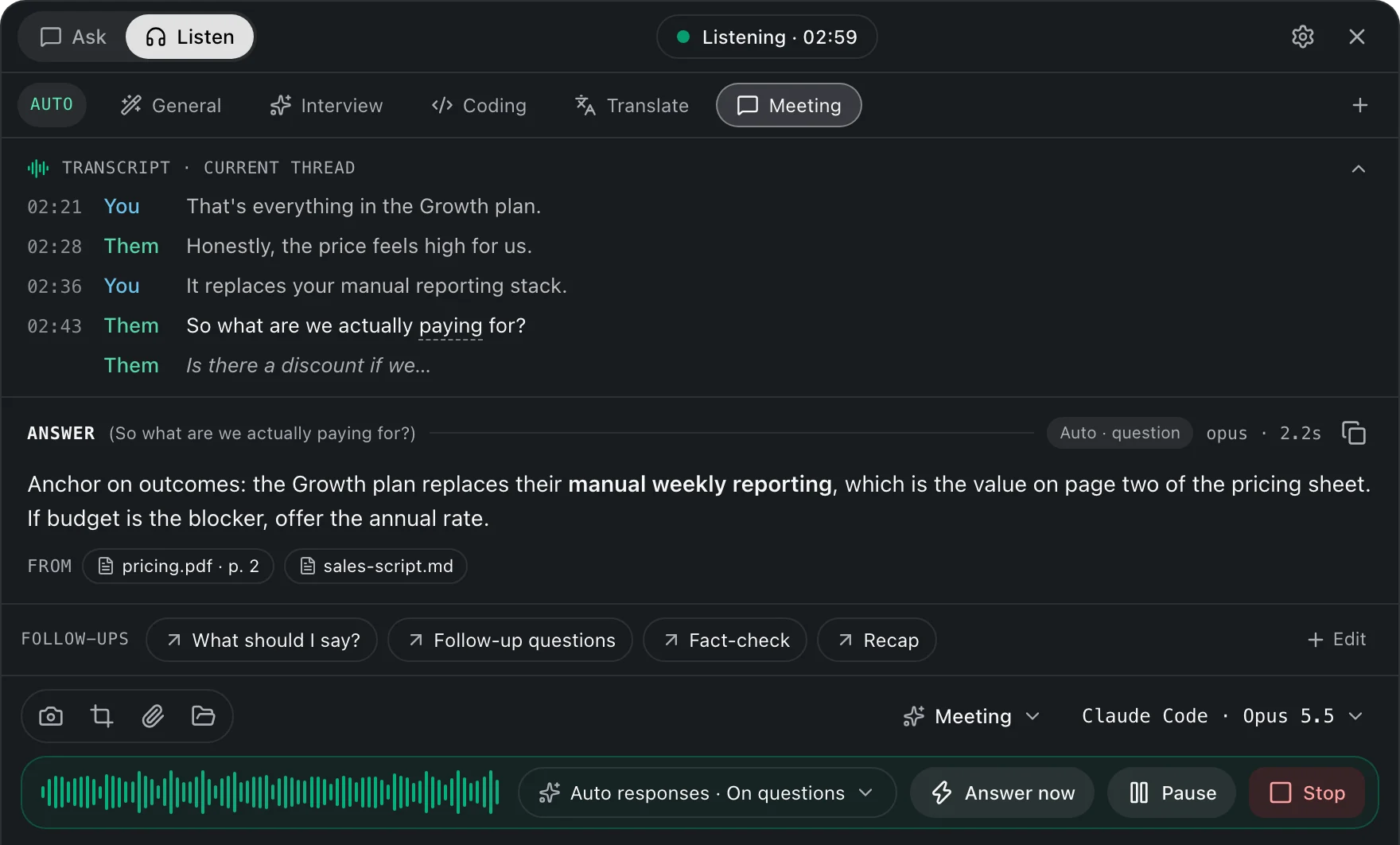
Zhbanely in Listen mode: live transcript of a sales call and a suggested answer with its sources
Listen mode on a sales call. The answer is drawn from pricing.pdf, page 2.

Only you see it.

The window is excluded from screen capture, so it never reaches the shared screen or the recording. It floats above the call without taking focus, and one shortcut hides it.

Screen sharingThe window is not captured
Hide and show⌘ \
Answer right now⌘ ⇧ ↩
Your voice and theirsTranscribed as two separate speakers
Doubtful wordsUnderlined, like this, so you know what to check
Mini modeOnly the answer text over the screen, with four buttons and no panel
ModelsZhbanely Cloud with no keys, Claude Code on your Mac, or your own OpenAI-compatible or Anthropic key

After the call, the notes are already written.

A summary, the decisions and the tasks with owners, from the whole transcript. Edit them in the app or in your web account, and the change shows up in both.

Sales call, Growth plan

Summary

The client reviewed the proposal and pushed back on price: 480 euros per seat a year for 40 people. Onboarding and first-quarter support are included.

Decisions

Ten percent off for paying annually.

Tasks

  • Send the updated proposal. You, by Friday
  • Agree the discount with finance
  • Check whether SSO is included. You, this week
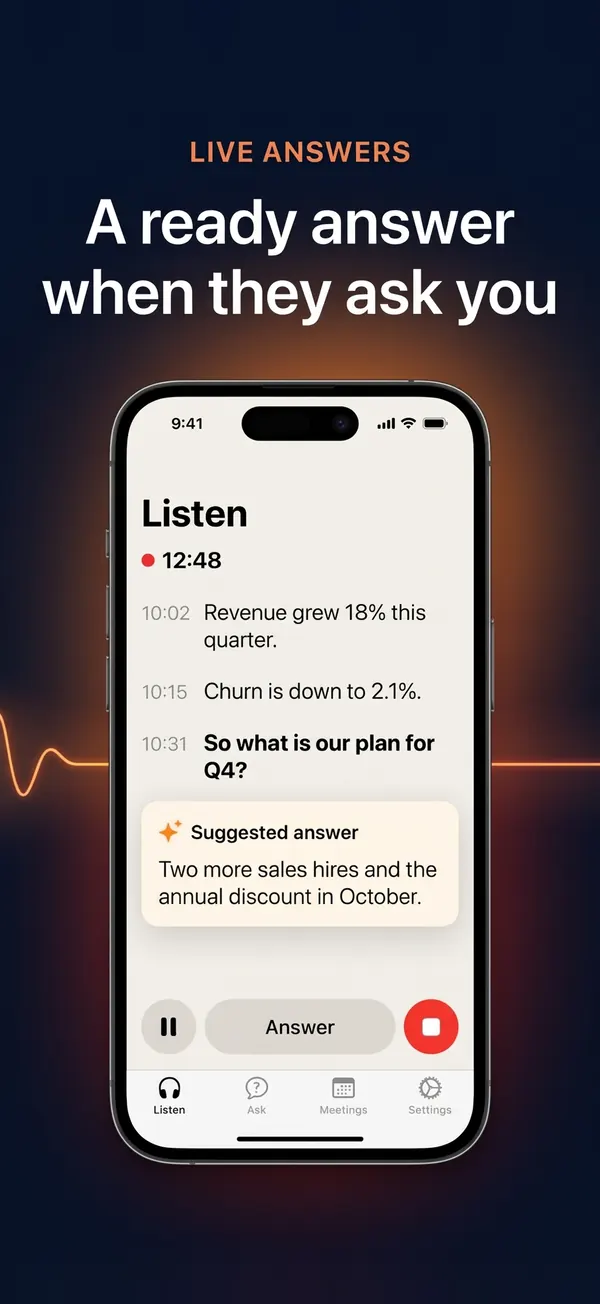
On the iPhone, in the room.

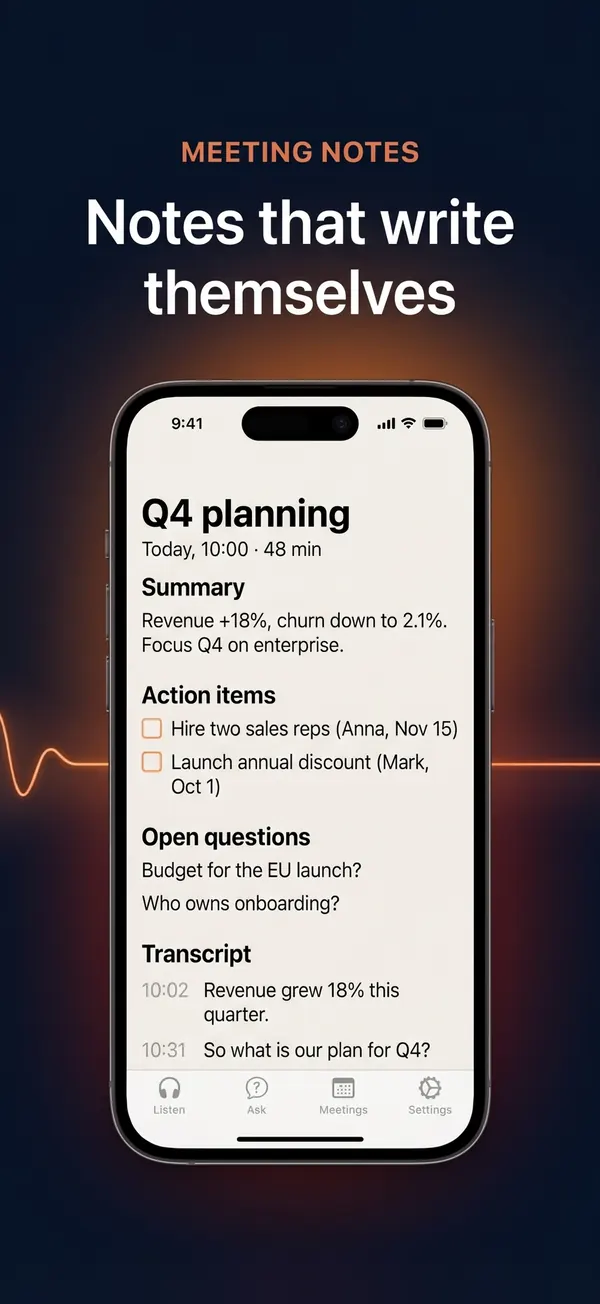
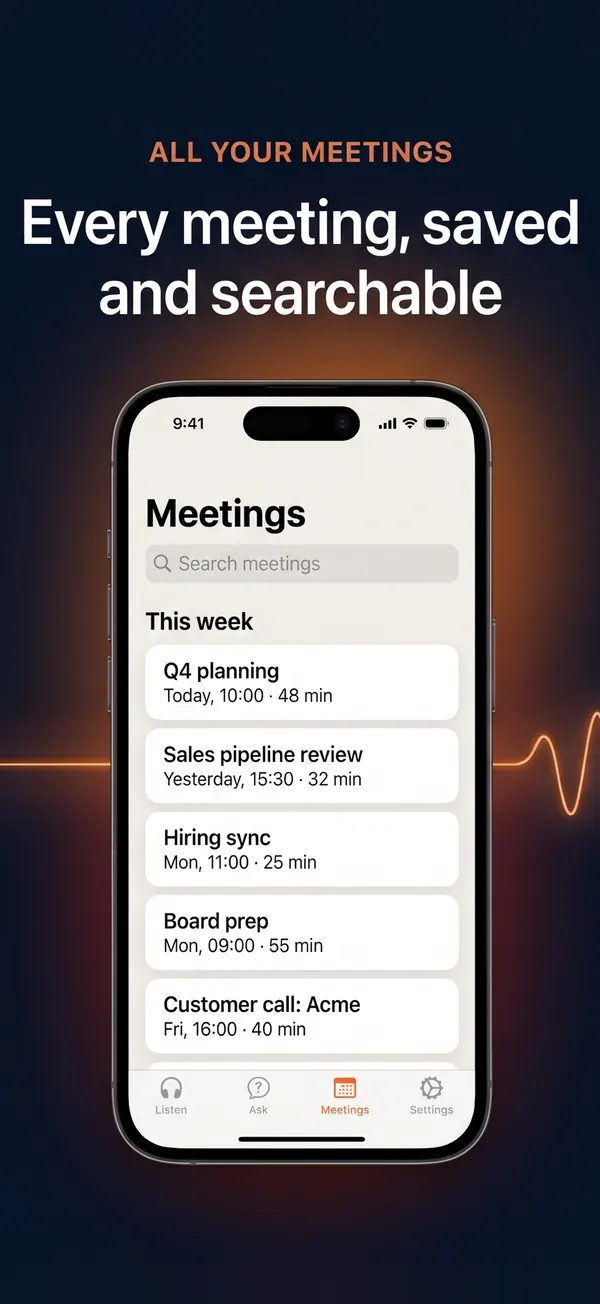
Put the phone on the table. Zhbanely hears the meeting through the microphone, shows the live transcript and a ready answer when someone asks you a question, then writes the notes. Every meeting is saved and searchable, next to the ones from your Mac. You can also ask about a photo of a whiteboard or a slide.

Zhbanely on iPhone in Listen mode: live transcript of a meeting and a suggested answer Meeting notes on iPhone: summary, action items, open questions and the transcript The list of meetings on iPhone with search
The iPhone app: a live answer, the notes of a meeting and the list of meetings.

On your Mac and on your iPhone.

The Mac app is free: start listening with the free minutes of Zhbanely Cloud, or connect Claude Code or your own key. On the iPhone, Zhbanely transcribes a meeting in the room, answers questions, writes the notes and answers questions about a photo of a whiteboard or a slide. Meetings from both show up on both. Zhbanely Pro, bought in the iPhone app, raises the limits on Mac and iPhone: $9.99 a month or $99.99 a year.

Zhbanely app icon
Version
0.7.18
System
macOS 13 or later
iPhone
iOS 26 or later, App Store
Processor
Apple Silicon
Signature
Signed and notarized by Apple
Price
Free. Zhbanely Pro $9.99 a month

Before you install.

Will the other side see or hear Zhbanely?

No. On the Mac, the window is excluded from screen capture, so it stays out of screen sharing and call recordings, and Zhbanely never joins the call: it only listens to your Mac's sound. On the iPhone nothing appears on anyone's screen, the phone simply listens through its microphone.

Does it work with Zoom, Google Meet and Microsoft Teams?

Yes, and with any other app or browser tab that plays the call. The Mac app hears the system sound through ScreenCaptureKit, so macOS asks once for the Screen Recording permission, and your own voice comes from the microphone. There is nothing to install in the call app. On the iPhone, it hears a meeting in the room or a call on speaker.

Where are transcripts and recordings kept, and what goes to the server?

Transcripts, notes and your documents stay on your Mac or iPhone. For transcription, the audio streams from your device straight to ElevenLabs and never passes through zhbanov.com. For an answer, the question and the relevant part of the transcript go to the AI model: Claude Code on your Mac, your own key, or Zhbanely Cloud, which passes them to Anthropic without keeping them. Audio recording is off by default, and meetings reach your web account only if you turn uploading on, encrypted at rest. The details are in the privacy policy.

What is free, and what happens when the free minutes run out?

The Mac app is free. After you sign in, Zhbanely Cloud gives every account 10 minutes of speech recognition and a small allowance for AI answers each calendar month, shared by your Mac and iPhone and renewed on the 1st (UTC). On a very busy day the free plan may pause until midnight UTC. When the allowance runs out, the app says so and offers Zhbanely Pro: nothing is charged and nothing switches over silently. On the Mac you can carry on with your own ElevenLabs key and Claude Code or your own AI key. Zhbanely Pro, bought in the iPhone app for $9.99 a month or $99.99 a year, gives 600 minutes a month and eight times the answer allowance.

Do I need permission to record or transcribe a call?

Often, yes. In many countries you must tell the other people on a call, or get their consent, before you record or transcribe it, and many workplaces have their own rules. Zhbanely does not ask them for you: telling them and following the law is up to you, as the terms say.